Introduction
If you're running a Shopify store, chances are you started with a free or premium theme from the Shopify Theme Store. That's a perfectly reasonable way to get off the ground. But at some point, you'll run into walls — things you want to change but can't, features that don't work the way you need, or a look that feels too similar to hundreds of other stores.
That's where custom themes come in. In this post, we'll go deep on the differences between free, premium, and custom themes, walk through the actual process of building one, and give you real numbers on performance and cost so you can decide if it's the right move for your store.
Free vs Premium vs Custom Themes
Let's start with an honest comparison of what each option gives you.
Free themes (like Dawn, Taste, Craft) are Shopify's own offerings. They're well-built, follow best practices, and are a solid starting point. But they're designed to work for everyone, which means they're not optimized for anyone in particular. You'll find yourself limited in layout options, section types, and how much you can change without touching code. About 15,000+ stores use Dawn at any given time, so your store will look a lot like many others.
Premium themes ($180-$400 from the Theme Store) give you more features and layout options. Themes like Prestige, Impulse, or Symmetry offer more section types, better product page layouts, and more customization in the theme editor. They're a good middle ground if you need more flexibility but don't want to go fully custom. The downside is that they come loaded with features you may never use — and all of that extra code still loads on every page.
Custom themes are built from scratch (or from a minimal starter) specifically for your store. Every section, every feature, every line of code is there because your store needs it. Nothing extra. This is the approach we take at Apzee Solutions for stores that have outgrown their off-the-shelf theme.
Here's a quick comparison:
- Design flexibility: Free (low) / Premium (medium) / Custom (total control)
- Performance: Free (good) / Premium (varies, often slow) / Custom (best)
- Cost: Free ($0) / Premium ($180-$400 one-time) / Custom ($5k-$30k)
- Unique look: Free (no) / Premium (somewhat) / Custom (yes)
- Ongoing support: Free (Shopify updates) / Premium (theme developer) / Custom (your developer)
The Code Bloat Problem
This is one of the biggest reasons to consider going custom, and it's something most store owners don't think about.
A typical premium Shopify theme ships with 400-800 KB of CSS and 500-1200 KB of JavaScript. That's before you add any apps. Much of that code handles features your store doesn't use — mega menus you never set up, product filtering options you don't need, animation effects you turned off. The code is still there, loading on every single page view.
We audited a popular premium theme recently and found that roughly 60% of its CSS was unused on the homepage, and about 45% of JavaScript never executed during a typical customer session. That's a lot of wasted bandwidth and processing time, especially on mobile devices with slower connections.
A custom theme typically ships with 80-150 KB of CSS and 100-300 KB of JavaScript. Only what's needed, nothing extra. That difference directly affects how fast your pages load, and page speed directly affects how many people buy from you. If you're interested in the specifics, check out our guide to fixing slow stores and Core Web Vitals.
OS 2.0 Sections and Blocks
Shopify's Online Store 2.0 (OS 2.0) changed how themes work in a big way. Before OS 2.0, only the homepage supported drag-and-drop sections. Now, every page — product pages, collection pages, blog posts, even the cart page — supports sections and blocks.
This is great news for custom themes. Here's why:
Sections are the large building blocks of a page. Think of them as rows — a hero banner, a featured collection, a testimonial slider, etc. With OS 2.0, you can create sections that your marketing team can add, remove, and reorder on any page without touching code.
Blocks are smaller elements inside sections. For example, a "Product Features" section might contain blocks for individual feature items. Each block can be added, removed, or reordered independently.
When we build a custom theme, we design the section and block architecture around how your team actually works. If your marketing team runs seasonal promotions, we build promotion sections with blocks for different content types (text, image, countdown, product grid). If your product team needs to highlight specific attributes, we create product page sections with blocks for specifications, sizing guides, and comparison charts.
The result is a theme that's both custom-built for performance AND easy for non-technical team members to update. You get the best of both worlds.
The Process of Building a Custom Theme
Building a custom Shopify theme isn't just "make it look like this mockup." It's a structured process that typically takes 6-12 weeks. Here's how we do it:
Week 1-2: Research and planning. We look at your current store analytics to understand how customers shop. Where do they land? What do they click? Where do they leave? We review your competitors, not to copy them, but to understand what your customers expect. We also document every feature your store needs — and more importantly, features it doesn't need.
Week 3-4: Wireframes. Before anyone touches a design tool, we create wireframes for every key page. These are simple, black-and-white layouts that show where everything goes. The goal is to nail the structure and user flow before worrying about colors and fonts. This is also where we plan the section and block architecture.
Week 5-7: Design. With approved wireframes, we move to full visual design. This is where your brand comes to life — colors, typography, imagery style, micro-interactions. We design for mobile first (60-70% of eCommerce traffic is mobile) and then expand to desktop.
Week 8-11: Development. We build the theme using Shopify's Liquid templating language, modern CSS, and minimal JavaScript. Every section is built as a reusable OS 2.0 section with configurable blocks. We test on real devices, not just browser simulators.
Week 12: Testing and launch. We run through every page, every interaction, every edge case. We test on slow connections, old phones, different browsers. We check accessibility. We verify that all integrations (payment, shipping, apps) work correctly. Then we migrate your content and go live.
Performance: Real Numbers
Let's talk actual performance numbers from stores we've worked on.
Before (premium theme with 12 apps):
- Homepage load time: 4.8 seconds
- Product page load time: 5.2 seconds
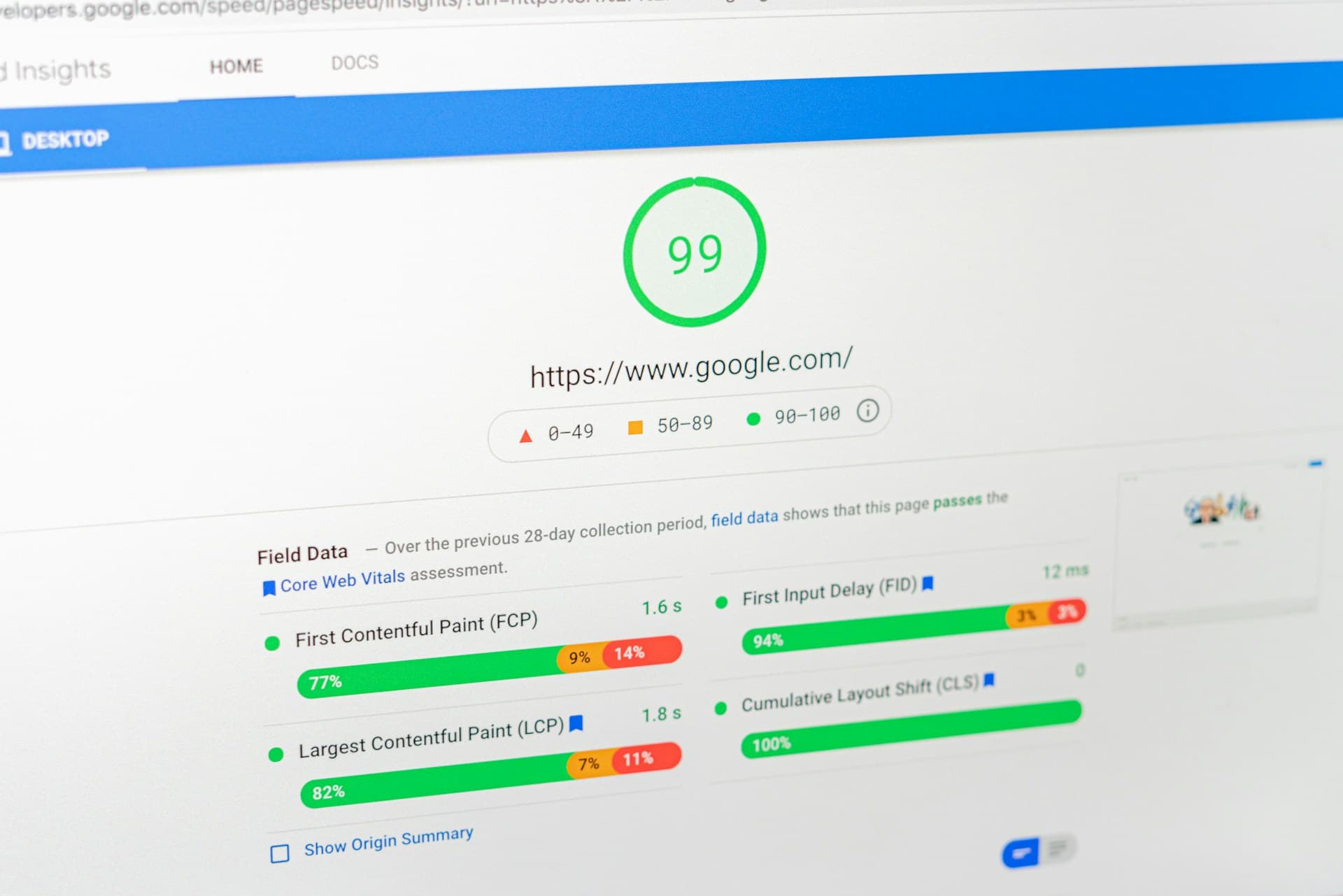
- PageSpeed Insights score: 28/100 (mobile)
- Largest Contentful Paint: 4.1 seconds
- Total page weight: 4.2 MB
After (custom theme, same 12 apps):
- Homepage load time: 1.4 seconds
- Product page load time: 1.1 seconds
- PageSpeed Insights score: 91/100 (mobile)
- Largest Contentful Paint: 1.3 seconds
- Total page weight: 1.1 MB
The apps were the same. The products were the same. The only difference was the theme. That's the impact of removing code bloat and building only what the store actually needs.
This speed improvement translated to a 23% increase in conversion rate over the following three months. Faster stores sell more — it's that straightforward. For more details on how speed affects your bottom line, read our post on Core Web Vitals for online stores.
Maintenance Considerations
One thing people forget about custom themes is the maintenance side. With a free or premium theme, the theme developer releases updates that you can install. With a custom theme, you're responsible for maintenance — or you hire someone to do it.
Here's what maintenance typically involves:
- Shopify platform updates: Shopify occasionally makes changes that affect how themes work. You need someone who can update your theme when that happens (maybe 2-3 times per year).
- New features: As your business grows, you'll want to add new sections, new page templates, or new functionality. Budget for ongoing development time.
- App compatibility: When you install new apps, they sometimes need small theme adjustments to display correctly. This is usually minor work.
- Bug fixes: Things break sometimes. Having a developer on call (or on retainer) means issues get fixed quickly.
A reasonable budget for ongoing maintenance is $500-$1,500 per month, depending on how actively you're changing things. Some months you'll use none of it; other months (like before a big launch or holiday season) you'll use all of it.
When NOT to Go Custom
Custom themes aren't for everyone. Here's when you should stick with a free or premium theme:
- You're just starting out. If you haven't validated your product-market fit yet, don't spend $10k+ on a theme. Use Dawn (Shopify's free theme), spend your money on marketing and product, and come back to custom when you're profitable.
- Revenue under $10k/month. The ROI on a custom theme really kicks in at higher revenue levels. At $5k/month, even a 20% conversion rate increase only adds $1k/month. That's a long time to recoup a $15k investment.
- You change direction frequently. If your product line, branding, or target audience changes every few months, a custom theme locks you into a specific direction. Wait until your business is more stable.
- A premium theme genuinely does everything you need. Sometimes a $350 theme with a few small CSS tweaks does the job. Don't over-engineer it.
Cost Breakdown
Let's get specific about costs so there are no surprises:
Basic custom theme ($5,000-$15,000):
- Clean, well-built theme with your branding
- 5-8 custom sections with OS 2.0 blocks
- Standard page templates (home, product, collection, about, contact)
- Mobile-first responsive design
- Basic animations and interactions
- 2-4 weeks of development
Mid-range custom theme ($15,000-$30,000):
- Everything above, plus:
- 15-25 custom sections with advanced block configurations
- Custom product page layouts (different templates for different product types)
- Advanced filtering and search
- Custom cart experience (drawer cart, upsells, gift wrapping)
- Multi-language or multi-currency support built into the theme
- 6-10 weeks of development
These costs include design, development, testing, and content migration. They don't include ongoing maintenance (budget separately for that) or photography/copywriting (which can make or break even the best theme). If you need help figuring out which apps to pair with your new theme, check out our list of Shopify apps every store needs.
Conclusion
A custom theme isn't about having a fancy website — it's about removing the things that hold your store back. Faster load times, a unique brand experience, and a codebase that only includes what you need. If you're at the point where your theme is limiting your growth, it's time to think about going custom.
Start by listing what your current theme can't do. That list becomes the basis for your project scope. And if you want to talk through whether a custom theme makes sense for your store, get in touch — we're happy to give you an honest assessment.
A note from the author
Javaid Naik
Lead Developer
Full-stack developer and founder of Apzee Solutions. 8+ years building eCommerce stores and web apps.